Showing posts with label hard. Show all posts
Showing posts with label hard. Show all posts
Wednesday, November 19, 2014
Lenovo A600e Hard Reset Pattern Lock Remove Solution
How To Hard Reset Your Lenovo A600e
When You Have To Hard Reset Your Device ?
You Can Apply Hard Reset In Many Cases We Will Tell You Some Example* Forgotten Pattern Lock* Forgotten Phone Lock* Forgotten User Code
* If Your Phone Seems Frozen Due To Any Cases.
Take Care These Factors Before You Reset Your Phone
* Please Backup Your Datas Using any Backup Software* Please Maintain 50% Battory Charge How To Hard Reset Your Lenovo A600

* Switch Off Your Phone And Take Out Your Sim And Sd Card* Press and hold volume up and power
* 10 to 15 seconds till show reset menu
* Use volume keys to scroll
* Select with power key.
* If Your Phone Seems Frozen Due To Any Cases.
How To Hard Reset Your Lenovo A600
* 10 to 15 seconds till show reset menu
* Use volume keys to scroll
* Select with power key.

Wednesday, November 12, 2014
Lumia 710 Hard Reset Using Hardware Keys
You Can Apply Hard Reset In Many Cases We Will Tell You Some Example
* Forgotten Phone Lock* Forgotten User Code
* If Your Phone Seems Frozen Due To Any Cases
Take Care These Factors Before You Reset Your Phone
* Please Backup Your Data Using any Backup Software
* Please Maintain 50% Battery Charge
How To Hard Reset Your Nokia Lumia 710 (Remove Phone Lock)

* Switch Off Your Mobile
* Press And Hold Power Key + Volume Down Key + Camera Key At The Same Time
* Release The Power Key Until The Vibration And Keep Pressing Other Keys
* Now Your Phone Will Restarted. After Completing The Hard Reset Prosses
* Done ! Friday, November 7, 2014
Hard Reset Samsung Galaxy Mini Gt s5570
How To Hard Reset Your Samsung Galaxy Mini s5570
When You Have To Hard Reset Your Galaxy Mini ?
You Can Apply Hard Reset In Many Cases We Will Tell You Some Example * Forgotten Pattern Lock
* Forgotten Phone Lock
* Forgotten User Code
* If Your Phone Seems Frozen Due To Any Cases.Take Care oi These Factors Before You Reset Your Phone
* Please Backup Your Datas Using any Backup Software
* Please Maintain 50% Battory Charge
How To Hard Reset Your Samsung Galaxy Mini

* Switch Off Your Galaxy Mini
* Take Out Your Sim And Memmory Card* Press And Hold Home Key + Power On Your Phone
* Hold Pressing Keys Untill The Second Logo Appears
* When Scond Logo . Release All Keys
* Then You Will Get Factory Reset Menu
* Select Wipe Data/ Factory Reset Option . Scroll Using Volume Key . Then Confirm
* By Select Yes Delete All User Data. Using Volume Down Key . Confirm It
* Wait Some Seconds. Then Select Reboot System Now Option And Confirm
* Now Your Phone Will Restarted. After Completing The Hard Reset Prosses
* Done !
* Forgotten Phone Lock
* Forgotten User Code
* If Your Phone Seems Frozen Due To Any Cases.
* Please Maintain 50% Battory Charge
* Hold Pressing Keys Untill The Second Logo Appears
* When Scond Logo . Release All Keys
* Then You Will Get Factory Reset Menu
* Select Wipe Data/ Factory Reset Option . Scroll Using Volume Key . Then Confirm
* By Select Yes Delete All User Data. Using Volume Down Key . Confirm It
* Wait Some Seconds. Then Select Reboot System Now Option And Confirm
* Now Your Phone Will Restarted. After Completing The Hard Reset Prosses
* Done !
Thursday, October 30, 2014
How to Hard Reset O2 Xphone 2
How to Hard Rese O2 Xphone 2 / Xphone 2M, SDA / Like those:
1. Turn off your xphone2. press and hold left + right soft menu key
3. while still holding left+right soft menu key, press the on/off button ONCE and RELEASE.
4. keep left + right soft key pressed until you see the message:
"Press 0 to restore fatory setting, other key to quit"
5. press 0 and wait for the phone to boot up, the restoring of factory default will begin and will ask to reboot your phone when done.
How to Hard Reset Nexus One
How to Hard reset for Nexus One
1. With the phone off, hold the Volume Down button and press and release the Power button.2. Youll boot into the menu you see above with the little skateboard guys. Select Clear Storage from the list by pressing the Volume Down button.
3. Press the Power button, and confirm by pressing Volume Up.
4. Sit back while your phone reboots in its virgin state.
Wednesday, October 29, 2014
How to Master Reset or Hard Reset a Sony Ericsson Z750a
To perform a master/hard reset on your Sony Ericsson Z750a you will need to:
Menu > Settings > scroll down to master reset > reset all
Read More..
Menu > Settings > scroll down to master reset > reset all
Wednesday, October 15, 2014
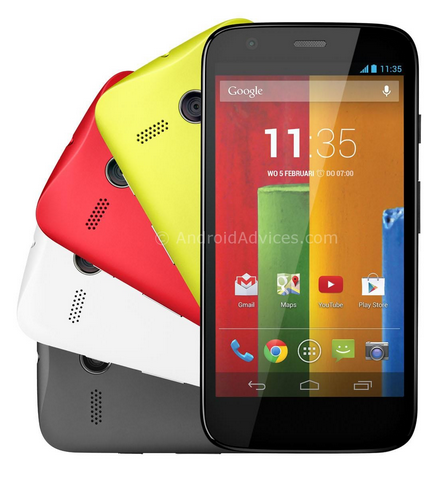
How to Factory Reset Hard Reset Motorola Moto G
Backup & restore
Your Google account data is backed up online. If you reset or replace your phone, just log in to your Google account to restore the contacts, events, and other details you synced with the account. To choose what syncs with the account, touch Apps > Settings > Google, touch your Google account, and check things to sync. Please note that text messages, call logs, and items stored on your phone will not be restored. To restore your Google Play™ Store apps, see “Take care of your apps”.
Resetting Motorola Moto G on Settings:
Warning: All downloaded apps and user data on your phone will be deleted. Data on the cloud will not be deleted.
Your Google account data is backed up online. If you reset or replace your phone, just log in to your Google account to restore the contacts, events, and other details you synced with the account. To choose what syncs with the account, touch Apps > Settings > Google, touch your Google account, and check things to sync. Please note that text messages, call logs, and items stored on your phone will not be restored. To restore your Google Play™ Store apps, see “Take care of your apps”.
Resetting Motorola Moto G on Settings:
- On your Home Lcd, touch Apps.
- Go to Settings > Privacy.
- Tap on Factory Data Reset.
- Then tap Reset phone.
- And Erase everything to confirm the reset.
Warning: All downloaded apps and user data on your phone will be deleted. Data on the cloud will not be deleted.
How to Hard Reset Motorola Moto G:
These steps is also helpful when your Motorola Moto G is unresponsive or frozen and theres no way to access the settings. If it is frozen, remove the battery and reinsert it after a few minutes.
- Power up the device pressing both Volume UP and Down keys at the same time. Use the Volume down key to highlight recovery mode and volume up to select it.
- When in recovery mode, you will see an android with a red triangle. Press Volume up and Volume down at the same time. This will bring up a blue menu at the top of the Lcd.
- Press Volume down to select "wipe data/factory reset" and press the Power key to select it.
- Now press Volume down to highlight Yes and press power to select it.
- Finally, when the device finishes it will have "reboot system now" selected. Just press power to select that option.
Wednesday, September 24, 2014
Samsung Galaxy Star S5282 hard reset
How to hard reset:
If you forgot your Lcd lock combination or password follow these steps.
Warning !All data will be lost!
1.Press together home button + power button
2.Release your fingers of the phone when Samsung logo appear
3.Choose with volume buutons "wipe data/factory reset" and select it with home button
4.Choose "yes" with volume buttons and select it with home button
5.Wait untiil format is complete
6.Select "reboot"
Read More..
If you forgot your Lcd lock combination or password follow these steps.
Warning !All data will be lost!
1.Press together home button + power button
2.Release your fingers of the phone when Samsung logo appear
3.Choose with volume buutons "wipe data/factory reset" and select it with home button
4.Choose "yes" with volume buttons and select it with home button
5.Wait untiil format is complete
6.Select "reboot"
Wednesday, September 17, 2014
Working 100 Karbonn a1 hard reset Done Tested
KARBONN A1+ HARD RESET 100% SOLUTION

PRESS VOLUP & HOME TUCH KEY & THEN PRESS POWER, APPEAR TRIANGLE OR ANDROID LOGO THEN PRESS LEFT SIDE CALL KEY, THEN APPEAR 4 OPTION PRESS RESET OR FACTORY SETTING AND REBOOT MOBILE
YOUR MOBILE IS OK
AFTER SHOW ANDROID LOGO PRESS THIS KEY

Friday, August 29, 2014
How to hard reset acer e130 phone
You can solve other problem using This solution they are
How to factory setting acer 130 phone.
Acer e130 Hard reset problem
Acer e130 reset with hardware key.

- At first Switch off your phone.
- Press and hold volume up + call button and + power button, while still holding before showing android logo then wait some time.After that
- If you see recovery menu / factory menu then go to step 5
- If you dont see recovery menu / factory menu then press home button or left key or call button then you will see.When you see recovery menu / factory menu then go to step 5
- Select Wipe data/Factory and press ok button
- Then select delete all data and press ok button then your phone will be restart and take several minute.
Acer e130 reset with setting menu.
Make sure to backup all your important data before reset.Then reset step by step.
- Open the apps tab then
- Open Settings tab
- Choose sd card and phone storage
- select Factory data reset
- Now tap on reset phone
- Finally tap on Erase everything.
Monday, August 11, 2014
Hard Reset HTC One VX
Hard Reset HTC One VX - HTC One VX comes with 4.5” Super LCD2 capacitive touchscreen (540 x 960 pixels resolution) that options HTC Sense UI v4+, Multitouch support, accelerometer sensing element, Proximity sensing element, and Compass sensing element. The phone is put in with android OS v4.0 (Ice Cream Sandwich) and steam-powered by Dual-core 1.2 GHz GPU, Adreno 305 GPU, and 1 GB RAM. To store your documents and files, 8 GB of internal storage is offered in conjunction with memory card support (up to 32 GB) for storage growth. The property options consist of: Wi-Fi 802.11 a/b/g/n, dual-band, DLNA, Wi-Fi hotspot; Bluetooth v4.0 with A2DP; NFC; and microUSB v2.0

Hard Reset HTC One VX
Performing hard reset procedures on your HTC One VX restore all the factory default settings and also permanently delete all your data and customized settings, and will remove any applications you’ve downloaded and installed. Be sure to back up any data and files you want to keep before you do a factory reset.
Hard reset your HTC One VX as follows:
- Slide the Notifications panel open, and then tap
.
- Tap Storage > Factory data reset.
- Tap Reset phone, and then tap Erase everything.

OR
- Press and hold the VOLUME DOWN button, and then press and hold the
POWER button. - Wait for the screen with the three Android images to appear, and then release the POWER and VOLUME DOWN buttons.
- Press VOLUME DOWN to select FACTORY RESET, and then press the POWER button.
Sunday, August 10, 2014
Celkon a107 hard reset Pattern lock Done
celkon a107 hard reset Pattern lock Gmail account Remove Done with test Report

Uploaded with ImageShack.us
Press vol down + power key
Till show factory test tool
Now go to clear flash with vol keys
and press on home key
now phone restarts and done

Subscribe to:
Posts (Atom)